

Choosing the right AI app builder matters more than ever. In 2026 there are many platforms that promise one-click apps, but they differ dramatically in how they handle mobile deployment, scaling, pricing, and real-world features like authentication and payments. This guide explains how to evaluate AI app builders for iOS and Android, compares the leading options, and gives a practical checklist so you can pick the tool that matches your project goals.
Table of Contents
- What is an AI app builder — and why it matters for mobile apps
- Primary selection criteria for AI app builders (what really matters)
- Quick comparison: how to match a platform to your goals
- Platform reviews: focused, practical comparisons
- Lovable — best for very fast web MVPs
- Bolt — strong cross-platform prototyping with native mobile support
- Replet — developer-first platform with native app publishing
- Base44 — optimized for shipping full web apps fast (best pick for non-technical teams)
- Choosing between PWAs, wrapped web apps, and native apps
- Checklist: how to evaluate any AI app builder in 30 minutes
- Typical mistakes founders make when choosing an AI app builder
- App store publishing: a practical step checklist
- Optimization and cost control tips
- When to export code and hire engineers
- Security and compliance checklist
- Real-world decision framework (one-page)
- Pitfalls to watch for during testing
- Practical prompt templates for faster, more predictable builds
- Summary: which AI builder to pick in 2026
- Final checklist before you commit
- FAQ
- Closing takeaway
What is an AI app builder — and why it matters for mobile apps
An AI app builder is a platform that uses generative models and automated tooling to generate application UI, backend wiring (databases, authentication), and sometimes deployment artifacts from plain-language prompts or visual inputs.
There are three broad categories you will encounter:
- Web-first app builders: generate responsive web apps or PWAs. Fast to build and publish, but require wrappers or extra tooling to reach app stores.
- Cross-platform/native builders: generate React Native, Expo, or similar native projects that can be built and submitted to the App Store and Play Store.
- Developer-focused platforms: provide generated code, IDE workflows, and advanced integrations—powerful but usually require dev skills to finish and maintain.
For mobile projects you must decide early whether you need true native apps (App Store/Play Store distribution, native performance, platform APIs) or whether a PWA plus wrapper is sufficient.
Primary selection criteria for AI app builders (what really matters)
Not all feature lists are equally useful. Focus on the areas that determine whether you'll ship a real app:
- Speed to usable MVP: how fast the builder turns a plain-language brief into a working app you can test with users.
- Deployment and publishing: how easily you can get the app live and push updates. Does the platform publish to App Store/Play Store, or only to the web?
- Learning curve: is the UI designed for non-technical founders or built for engineers? Where are integrations and settings located?
- Scalability and core features: built-in auth, databases, payments, native integrations, AI features, and framework support.
- Value and pricing model: predictable fees vs token/credit-based models that can spike unexpectedly.
Quick comparison: how to match a platform to your goals
Use this checklist to map platform types to project goals:
- Prototype or validate an idea quickly: choose a tool that produces a demo-level MVP in minutes and lets you iterate by prompt or UI edits.
- Ship a production web app with minimal ops: prefer platforms that include hosting, databases, auth, and automatic deployments.
- Publish native mobile apps to stores: use a builder that produces React Native/Expo projects or one that publishes directly to stores.
- Maintain full control or custom backend: choose developer-focused platforms that let you export code and integrate with GitHub, CI/CD, and custom cloud infrastructure.
Platform reviews: focused, practical comparisons
Below are concise, practical evaluations of four representative AI app builders. Each section covers speed to MVP, deployment for mobile, learning curve, scalability, and cost patterns you should expect.
How to read these mini-reviews
- Speed to MVP indicates typical time to a usable app from a single prompt.
- Mobile publishing describes whether you can deliver true iOS/Android apps or if you must rely on PWAs/wrappers.
- Best use case summarizes the scenario where that tool shines.
Lovable — best for very fast web MVPs
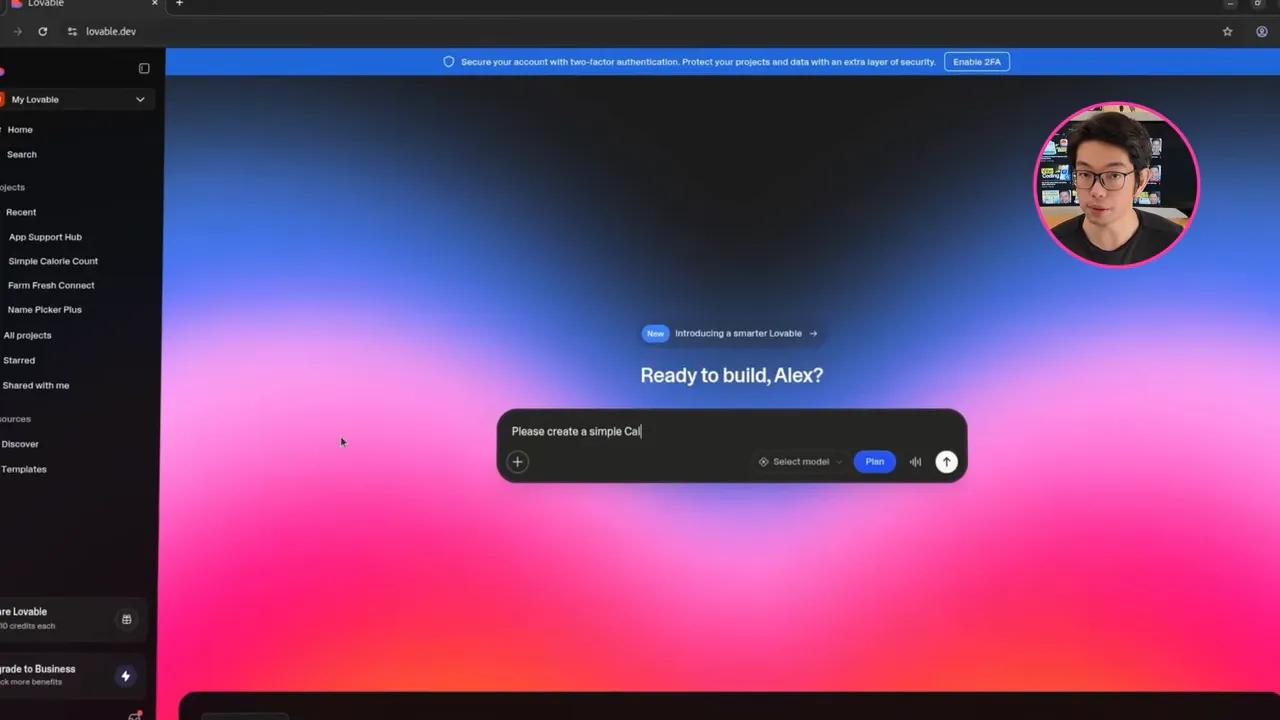
Lovable is optimized for rapid web-first prototypes. It excels at producing clean UI and usable front-end flows quickly, and it includes native login and database support so you can get something functional without wiring external services.
Speed to MVP
Typical builds for a basic app take under two minutes. Complex front-end-heavy apps can be generated in under 10 minutes. Expect these outputs to prioritize layout and UX rather than deep backend logic.
Mobile publishing
Lovable produces web apps. To submit to the App Store or Play Store you will need to wrap the app using a third-party tool like Capacitor or third-party packaging services. That adds extra steps and technical work.
Learning curve and ease of use
Interface is conversational and beginner friendly, though integrations can be buried in project settings. The platform is approachable for non-developers but may feel busy at first.
Scalability and features
Good for startup MVPs, with native login and a hosted database. Limited framework support (React+TypeScript) and no direct native mobile stack. AI features are built-in for chat or assistive components without external API keys.
Cost pattern
Free tier with limited credits and paid plans for low-cost prototyping. Backend usage often consumes credits, so heavy usage can lead to variable costs.
Best use case
Rapidly validate product ideas or build internal tools where native store distribution is not required.
Bolt — strong cross-platform prototyping with native mobile support
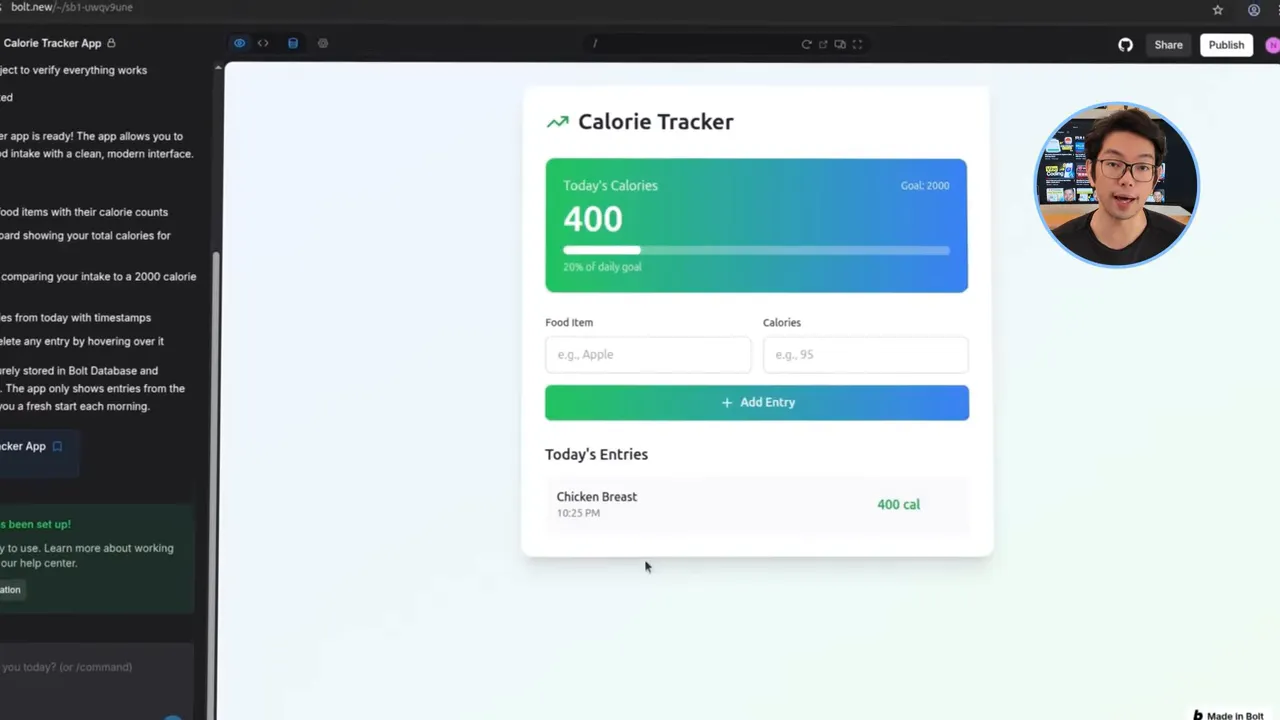
Bolt balances fast generation with broader platform support. It often produces initial authentication flows automatically and supports React Native for mobile builds.
Speed to MVP
Simple apps are built in a few minutes; complex apps in under 10 minutes. Iterations can be slower, and some features may need follow-up prompts to become functional.
Mobile publishing
Bolt generates native-capable projects (React Native) and desktop outputs. It does not always handle App Store/Play Store submission; you may need to export the project and perform signing and submission manually.
Learning curve and ease of use
Clean UI centered on a main prompt. Integrations are visible and easy to connect, which helps non-technical teams. Iterative changes can consume tokens or time.
Scalability and features
Supports Supabase, Firebase, Stripe, and GitHub. Built-in AI features remove a lot of setup for experimentation. Framework support is broader, so you are not locked into one stack.
Cost pattern
Token or token-equivalent model. Low monthly entry price but unpredictable consumption. Heavy iteration or debugging can push costs up quickly.
Best use case
User testing of cross-platform prototypes that will be finished by a small engineering team for production release.
Replet — developer-first platform with native app publishing
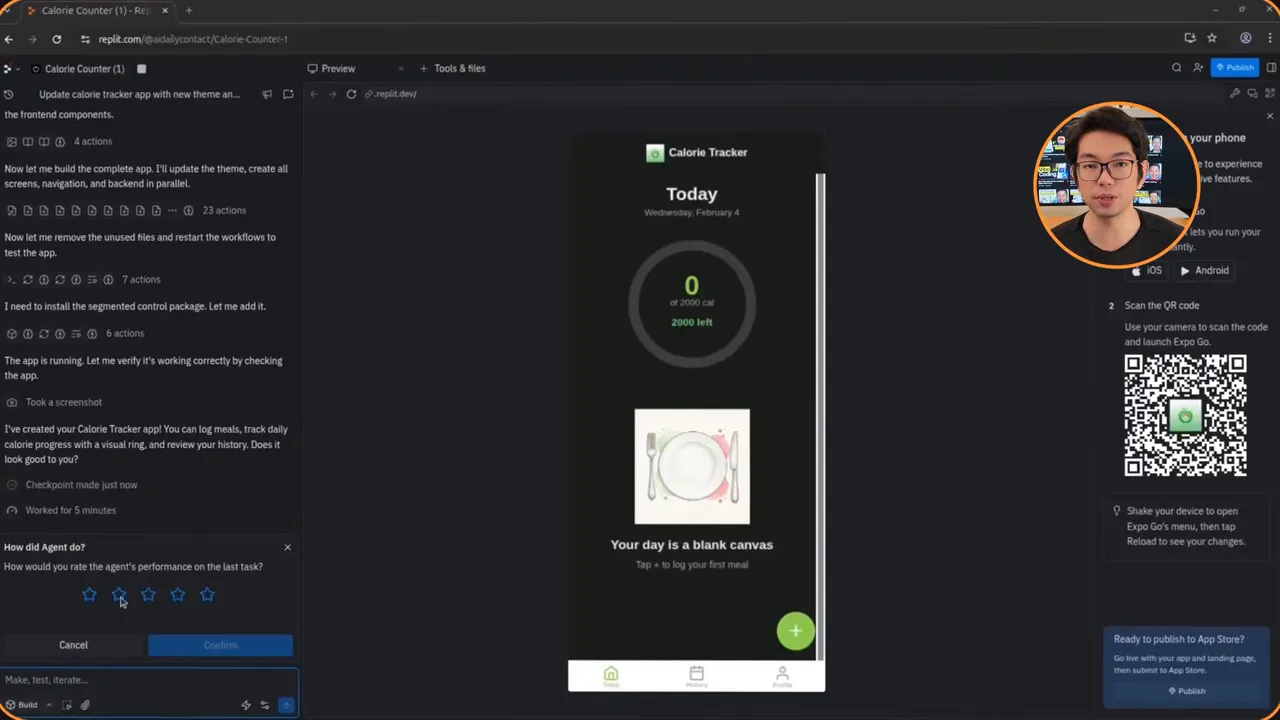
Replet is positioned more like a development platform that adds AI-assisted coding. It supports many programming languages and real mobile app workflows via React Native/Expo, making it suitable for teams that want to keep code control.
Speed to MVP
Builds are generally slower than pure no-code tools because the platform focuses on robust back-end wiring and code generation. Expect longer runtimes but more complete developer-facing artifacts.
Mobile publishing
Replet can produce native mobile apps and publish to stores. It also integrates with GitHub and supports IDE-style workflows for advanced teams.
Learning curve and ease of use
The interface is intentionally more technical. Non-developers can use natural-language prompts to generate code, but to get the most out of it you will benefit from developer skills.
Scalability and features
Supports 50+ languages, Postgres database, server frameworks, and autonomous coding agents. Good for apps that need custom back-end logic, integration variety, and exportable code.
Cost pattern
Credit-based pricing with base plans and upgrades. Many enterprise features are available but can add to the monthly bill for storage, compute, and autoscaling.
Best use case
Teams that need generated code they can own, customize, and run in production with a full developer workflow.
Base44 — optimized for shipping full web apps fast (best pick for non-technical teams)
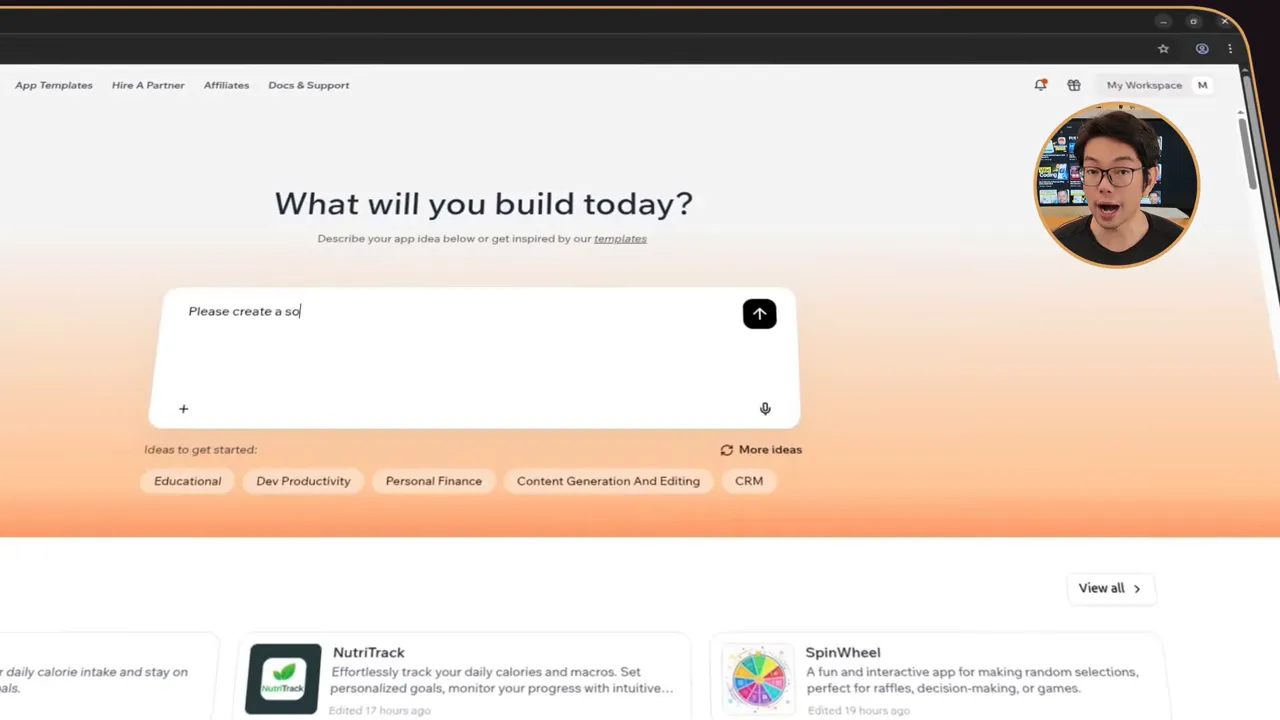
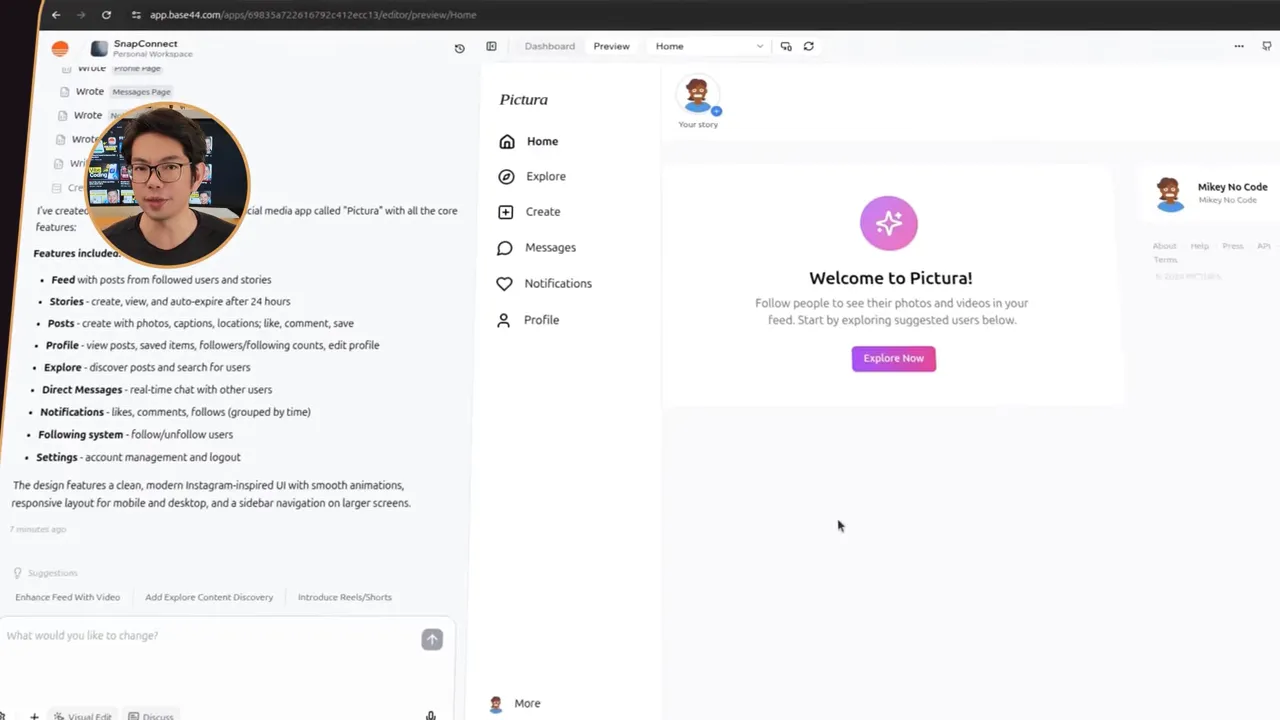
Base44 focuses on removing infrastructure friction. It generates responsive web apps, configures databases, authentication, and built-in AI, and offers predictable pricing and simple publishing workflows. This makes it a strong choice for founders and small teams who want to iterate and ship without managing servers.
Speed to MVP
Builds are fast and often include backend features out of the box: dashboards, user management, and working databases appear without extra prompts. Iterations such as global theme changes apply consistently across the app.
Mobile publishing
Base44 produces responsive web apps designed to behave like apps on mobile devices. They can be installed as PWAs for a near-native experience. It does not produce full native binaries for App Store/Play Store in every configuration, but for many businesses PWA plus home-screen install is sufficient.
Learning curve and ease of use
Minimal onboarding friction. The product targets non-technical users by placing the prompt and integrations in the project dashboard, keeping settings and third-party connections obvious.
Scalability and features
Built-in REST API endpoints, Stripe, Slack, Google Sheets integrations, file storage, and security scanning are included in plans. Native AI and role-based auth are handled automatically for each app.
Cost pattern
Simple tiered pricing with a free tier for experimentation and fixed plans that make budgeting predictable. Because many infrastructure items are included, you often avoid the hidden costs of hosting, managed databases, and third-party services.
Best use case
Non-technical founders and small teams who must ship production-ready web apps fast and keep ongoing operational overhead low.
Choosing between PWAs, wrapped web apps, and native apps
Mobile distribution strategy drives platform choice. Here is a practical breakdown of trade-offs:
- PWA (Progressive Web App): quickest to ship, behaves like an app on mobile browsers, installable to the home screen, no App Store approval. Limitations: more limited access to native APIs and push notification models on iOS.
- Wrapped web app (Capacitor/Cordova): converts a web app into a native shell. Easier than writing native, but you may still face performance and store submission nuance. Requires extra build and signing steps.
- Native (React Native, Flutter, etc.): best native experience and deeper API access. Harder to generate fully working native builds automatically. Choose platforms that produce honest native projects and provide help with store builds and signing.
Checklist: how to evaluate any AI app builder in 30 minutes
- Write a concise product brief (one paragraph) that lists core screens and required features (auth, payments, notifications).
- Run a build using the brief and time how long it takes to produce a working app.
- Test core flows: sign up, CRUD operations, payments (if required), and a key AI feature if relevant.
- Check deployment options: can you publish to web? native stores? export code?
- Locate integrations: are Stripe, databases, email, and analytics easy to connect inside the project dashboard?
- Review update mechanics: how are live updates deployed? Is there a manual build or instant publish?
- Estimate costs: compare predictable flat plans to token/credit models and simulate 10–20 iterations to see likely consumption.
- Export and maintainability: can you export code? What does handoff look like for a developer if the project outgrows the platform?
- Security and compliance: does the builder provide role-based auth, secure storage, and basic security scans?
- Support and docs: availability of templates, tutorials, and developer support channels.
Typical mistakes founders make when choosing an AI app builder
- Picking the flashiest demo. Demo-level apps can look complete, but lack backend wiring, proper auth, or error handling required for production.
- Ignoring deployment path. If publish-to-store is a requirement, don’t assume every builder will handle it. Check whether the platform packs native builds or forces you to export code.
- Underestimating iteration costs. Token or credit-based pricing can balloon during frequent testing and debugging. Model realistic iteration volumes before committing.
- Relying on a single integration. If your platform locks you in to one database or payment provider, you may face migration headaches later.
- Expecting zero developer involvement forever. Most apps eventually require custom functionality or performance tuning that requires developers. Ensure you can export the app or extend it with code.
App store publishing: a practical step checklist
If you need true iOS and Android apps distributed via stores, follow these steps whether building from generated native code or wrapping a web app.
- Decide on build method: native project, wrapper (Capacitor/Expo), or hybrid. Choose based on required native APIs and performance needs.
- Provisioning and signing: for iOS you need an Apple Developer account, certificates, and provisioning profiles. For Android you need a Google Play developer account and a keystore.
- Set app metadata: app name, icons, screenshots, privacy policy, and age ratings.
- Test on devices: run on multiple device sizes and OS versions to locate platform-specific issues.
- Handle push notifications and background tasks: these often need native configuration and correct entitlements.
- Submit and iterate: plan for review time, respond to rejections with detailed fixes, and maintain a distribution pipeline for future updates.
Optimization and cost control tips
- Use a development plan for heavy iteration and reserve production tiers for staging or live users to avoid billing surprises.
- Minimize unnecessary iterations by writing precise prompts and bundling changes into single revisions where possible.
- Prefer fixed pricing if you expect predictable usage and want to avoid token spikes from extended debugging sessions.
- Set alerts for credit/token consumption so you are notified before overages occur.
- Export critical services (data exports, APIs) regularly so you can move off the platform if needed without losing user data.
When to export code and hire engineers
Exporting code becomes valuable when:
- You need heavy custom logic or integrations not supported by the platform.
- Your app demands higher performance, full native APIs, or offline-first behavior.
- You want total control over architecture, costs, and long-term maintenance.
When exporting, pick an AI app builder that gives clean, idiomatic code, and integrates with GitHub so engineers can continue development with standard workflows.
Security and compliance checklist
- Encryption at rest and in transit: verify the platform encrypts stored data and uses HTTPS for all traffic.
- Role-based access: ensure the builder supports user roles and protected admin endpoints.
- Data export and deletion: your users may request data deletion; the platform must offer compliant export and erase workflows.
- Third-party library review: if the generated app includes third-party packages, verify their licenses and update frequency.
Real-world decision framework (one-page)
Use this rule-of-thumb to pick a platform quickly:
- If you are non-technical and need to ship a functional web app fast: choose a focused, all-in-one platform that includes hosting, DB, auth, and predictable pricing.
- If you need native app store distribution and will have developers: choose a platform that generates React Native/Expo projects and lets you export code.
- If you want full developer control and multi-language support: choose a developer-centric platform with IDE workflows and GitHub integration.
- If you only need rapid concept validation or landing pages: pick the fastest web-first generator and avoid premature optimization for stores.
Pitfalls to watch for during testing
- Surface-only builds—beautiful front ends without backend logic or error handling.
- Authentication gaps—missing email verification, role checks, or password reset flows.
- Hidden dependency costs—storage, egress, third-party API calls, and extra compute hours.
- Non-exportable data—ensure you can export your user and transactional data at any time.
Practical prompt templates for faster, more predictable builds
Use structured prompts to reduce ambiguous outputs. Here are three templates to copy and adapt.
Basic app brief
Create a simple calorie-tracking web app with:
- Signup and login with email/password
- Add food item: name, calories, time
- Daily summary showing total calories for the day
- Add a mobile-friendly responsive UI and save data to a hosted SQL database
- Use plain styling with a light and dark theme toggle
Social feed brief (multi-screen)
Build an Instagram-style app:
- Signup/login and user profiles
- Create posts with image upload and caption
- Feed shows recent posts with pagination
- Likes and comments on posts
- Push notifications for mentions
- Admin dashboard to manage users and flag content
- Include a Stripe integration for premium accounts
Inventory + billing brief
Create an inventory tracker with:
- Product CRUD (name, sku, stock count)
- Low-stock alerts emailed to admin
- Checkout page using Stripe to accept payments
- Automatic invoice generation and order history
- Roles: admin and staff
- REST API endpoints for product and order data
Summary: which AI builder to pick in 2026
There is no single correct answer. Choose based on your constraints:
- For non-technical founders who want predictable pricing and quick shipping to users: pick an all-in-one, web-focused builder with built-in auth, DB, and integrations.
- For teams targeting app stores and native features: choose a platform that produces React Native/Expo projects or provides a clear native publishing workflow.
- For engineering-led companies that want to own code: choose a developer platform with robust export, GitHub integration, and multi-language support.
Final checklist before you commit
- Run a trial build with your real brief.
- Confirm deployment options for the platforms you need.
- Test the signup and payment flows yourself.
- Estimate iteration volume and model costs for 30–60 days.
- Verify export, backup, and security policies.
FAQ
Which AI app builders can publish to the App Store and Play Store directly?
Some platforms produce native projects (React Native/Expo) and offer publishing support, but direct one-click publishing to both stores is rare. Expect to manage signing, provisioning, and store metadata yourself or to export the generated project and use your CI/CD process.
Can I convert a generated web app into a native app?
Yes. Wrapping a web app with tools like Capacitor or Cordova can produce a native binary. This adds steps for performance tuning, permissions, and store submission, and may not be ideal for apps with heavy native API requirements.
Are token/credit pricing models safe for prototypes?
They can be cost-effective for light usage but can spike during heavy iteration, debugging, or long build sessions. If you anticipate frequent iterations, prefer flat-rate plans or set usage alerts to prevent surprises.
Do these AI builders replace developers?
For simple apps and MVPs, they can eliminate early-stage development needs. However, for long-term maintainability, complex integrations, optimization, or platform-specific features, developers are still necessary. Choose a platform that allows exporting code or integrates with developer workflows.
How reliable are generated apps for production use?
Reliability varies. Many builders excel at producing front-end flows and basic backends, but production reliability depends on testing, error handling, security configurations, scalability controls (autoscaling, databases), and operational practices. Always run load tests and security reviews before going live.
Closing takeaway
In 2026 the right AI app builder is the one that matches your distribution needs, team skills, and tolerance for ops. If you value speed and simplicity for web-first projects, choose an all-in-one platform with predictable pricing. If you need native store presence or full code ownership, choose a platform that delivers exportable native projects and integrates with developer tools. Use the 30-minute evaluation checklist and the practical prompts above to validate your choice before you commit.
Practical testing and a short pilot project will reveal the platform's true fit more quickly than feature lists or demos. Keep your brief tight, test core flows, and prioritize predictable deployment and cost models.


0 Comments