
AI is weaving into work and daily life faster than most people realize. If keeping up feels impossible, that’s normal. The good news is you do not need to be technical, you do not need to chase every new model, and you can make meaningful progress in a short amount of focused time.
Table of Contents
- Why learning AI matters — and why most people get stuck
- Three clear paths for learning AI
- Core concepts that matter
- Tool categories and how to think about them
- The four skills that matter more than tools
- Automations vs. Agents
- Vibe coding: a new way to build
- A practical plan to actually learn and use AI
- Examples and prompt templates you can use now
- When to pay for a wrapped tool vs. build it yourself
- Common pitfalls and how to avoid them
- Resources and shortcuts to speed learning
- Sample 30-day learning sprint
- How to stay informed without getting overwhelmed
- Final checklist before building any AI workflow
- What is the best first tool to learn?
- How much time should I dedicate per week?
- Do I need to code to build useful automations?
- How do I avoid AI hallucinations?
- When should I pay for a specialized tool?
- What is the quickest way to build confidence with AI?
- Closing thoughts
Why learning AI matters — and why most people get stuck
AI is no longer a niche skill for researchers. It is a productivity multiplier for writers, designers, marketers, managers, and makers. Yet there are three common blockers that stop people from getting started:
- “I’m not technical.” Most modern tools are built for non-technical users. If you are curious and willing to experiment, you can unlock a lot without writing code.
- “It’s changing too fast.” Weekly model updates and new launches are mostly noise. Chasing every headline wastes time. Stick with a solid model and focus on fundamentals.
- “There are too many tools.” Thousands exist, but 90 percent of common tasks can be solved with just 3 to 5 dependable tools. Learn categories, not every single product.

Concentrate on the core skills that don't change: how to prompt, how to pick tools for a task, how to design simple workflows, and how to creatively combine tools. These skills will keep you relevant even as features and models evolve.
Three clear paths for learning AI
People typically follow one of three paths depending on how deep they want to go. Which one you choose determines the pace and the tools you should prioritize.
Path 1: Everyday explorer
Goal: Save time and reduce friction in everyday tasks.
- Practical actions: Summarize documents, draft emails, prepare presentations, and organize learning.
- Typical users: Teachers creating tailored lesson plans, students organizing notes, professionals decluttering information.
- Recommended starting point: A reliable LLM for text tasks and a research tool for fast fact-checking.

Path 2: Power user
Goal: Produce more work faster and with consistent quality.
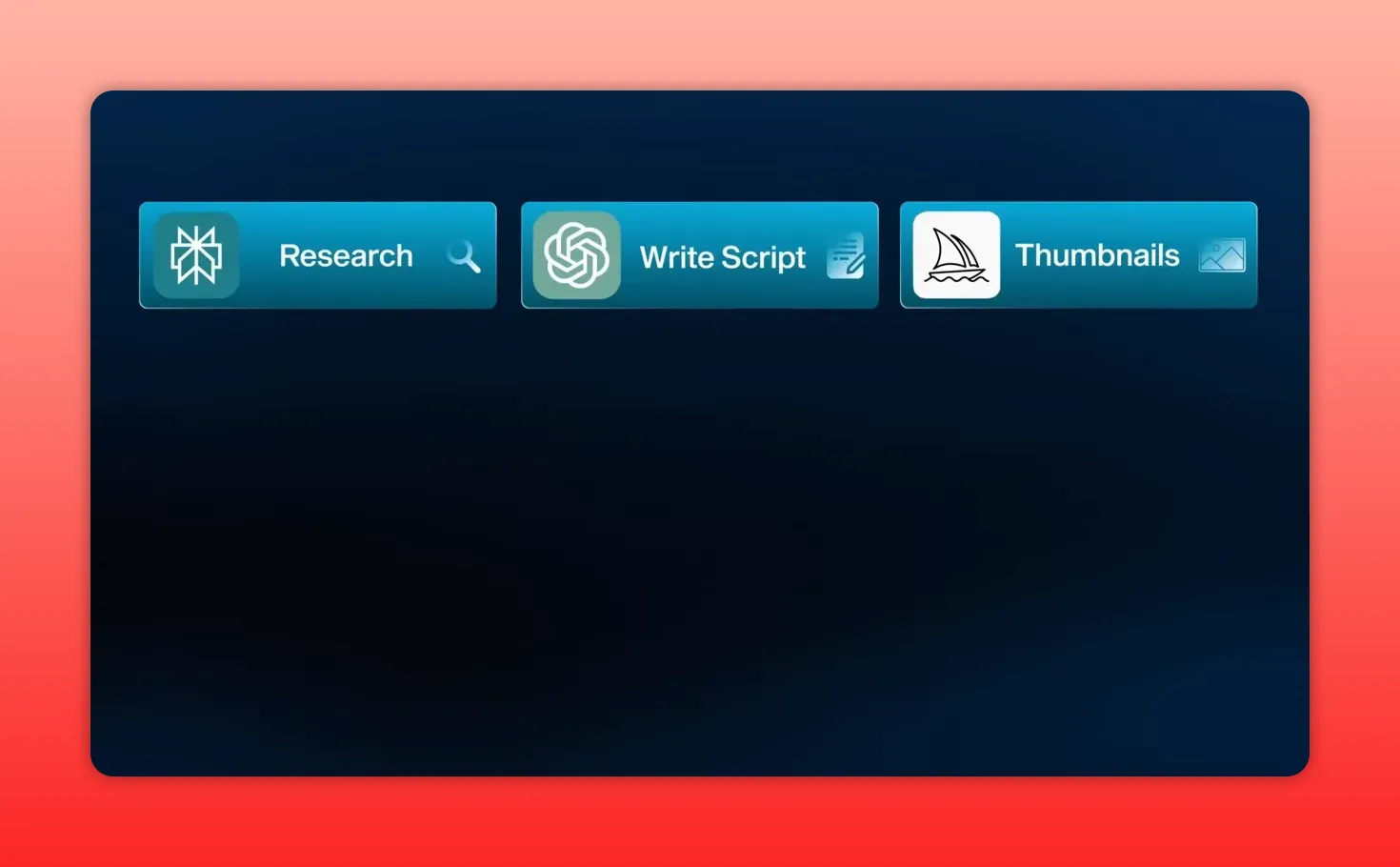
- Practical actions: Stack tools for research, writing, image generation, and editing—use each tool where it is strongest.
- Typical users: Creators producing scripts, thumbnails, B-roll, music, and automated posting pipelines.
- Recommended starting point: One LLM plus best-in-class tools for images, audio, and video to compose a production workflow.
Path 3: Builder
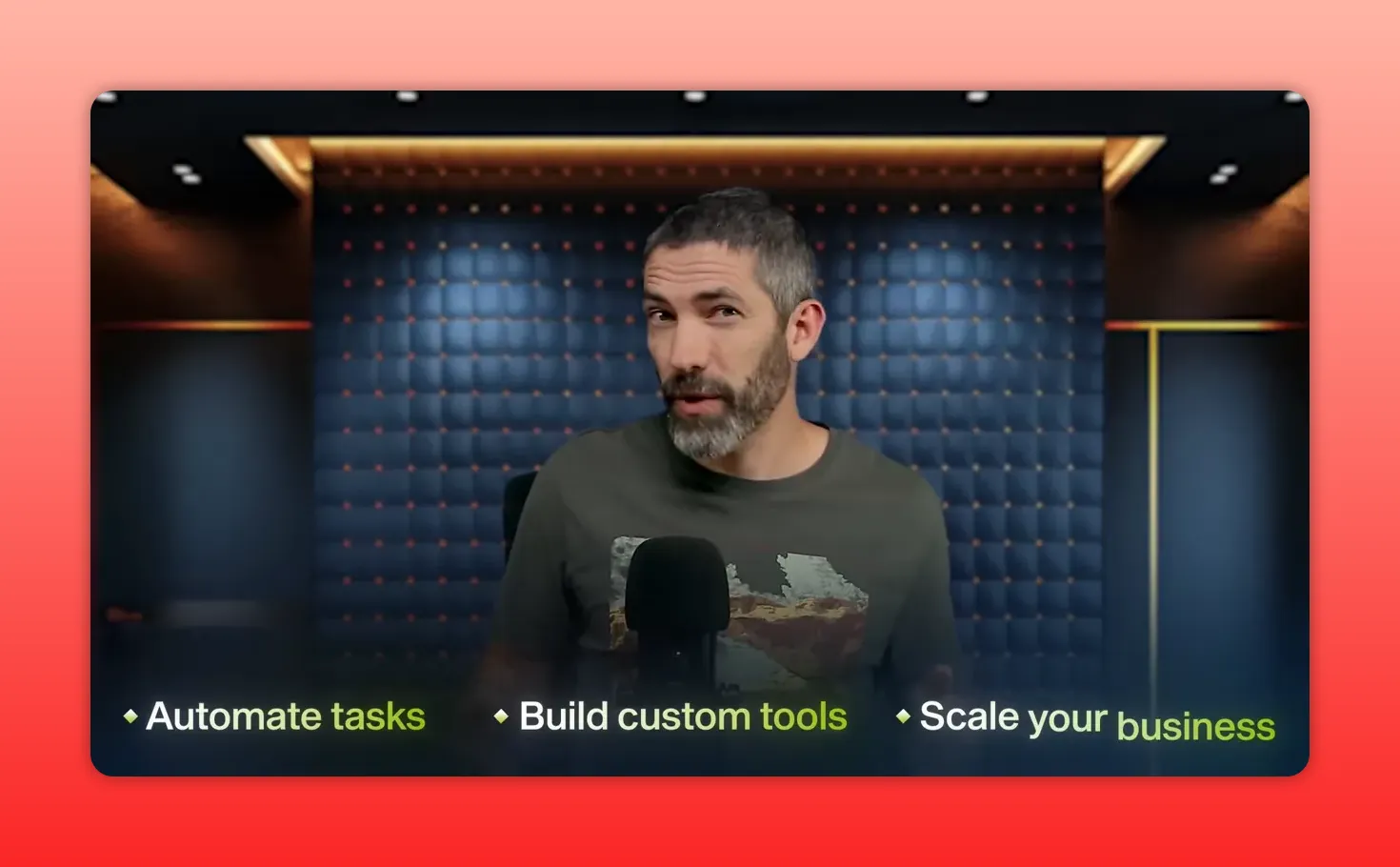
Goal: Create automation, custom tools, or agents that scale parts of a business.
- Practical actions: Build no-code automations, agent-driven workflows, or internal apps that save teams hours each week.
- Typical users: Product teams, operations leads, entrepreneurs automating lead gen or support.
- Recommended starting point: No-code platforms with agent capabilities and connectors to your data sources.
Movement between these paths is easy. Many people start as an explorer, become a power user, and then build automated tools as they spot repetitive work that can be removed.
Core concepts that matter
Before diving into tools, understand these building blocks. They will make choosing and using tools much less intimidating.
- Artificial intelligence broadly describes software designed to simulate human intelligence: learning, reasoning, or problem solving.
- Machine learning is how systems learn from data by finding patterns and improving without being explicitly programmed.
- Deep learning is a subset of machine learning that uses neural networks and powers most modern generative models.
- Generative AI refers to models that create new content: text, images, music, and video.
- Large language model (LLM) is a neural network trained on massive text corpora to understand and generate language. This is the primary entry point for most users.

Tool categories and how to think about them
There are thousands of AI tools, but they cluster into five main categories. Learning how each category helps you will accelerate your ability to solve problems without studying every new release.
LLMs (Large language models)
LLMs are the most versatile tools in the toolbox. They handle writing, brainstorming, coding assistance, translation, summarization, and more. Popular options include ChatGPT, Claude, Gemini, Grok, and open source Meta models.
- Why it matters: Most real-world problems can be approached with a language model—planning, summarizing, format conversions, and even acting as a controller that orchestrates other tools.
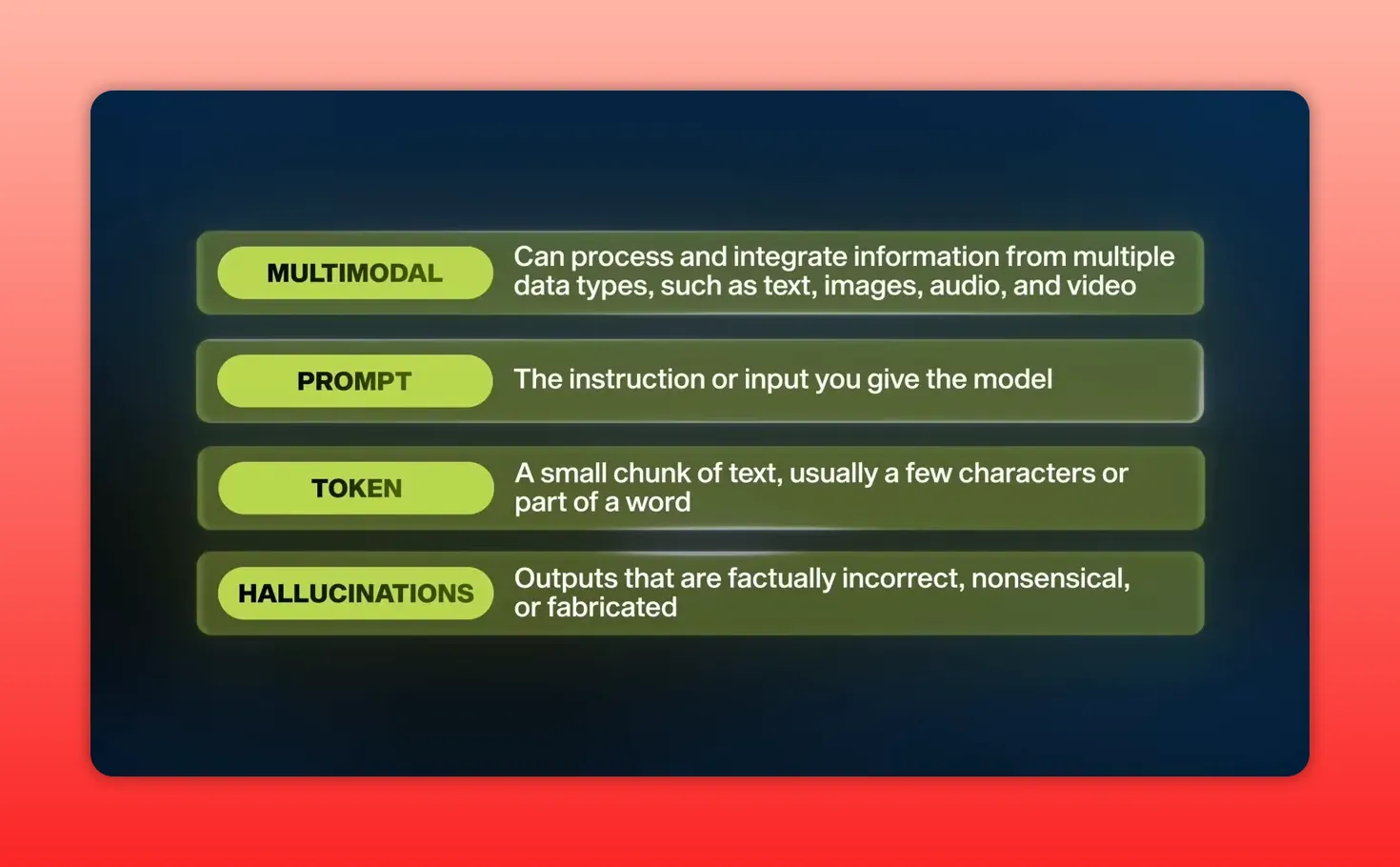
- Important terms: prompt, token, hallucination, RAG (retrieval augmented generation), neural network.
- Practical tip: Pick one reliable LLM and learn to prompt well. Chasing every new model adds little early on.
Research tools
These combine models with real-time sources and your personal data to answer questions grounded in facts. They excel at summarizing and synthesizing across documents and the web.
- Perplexity is built as an RAG-first search assistant that cites sources and compiles concise answers.
- Notebook LM functions like a second brain: upload notes, PDFs, or videos and query them as a unified knowledge base.
- Use cases: market research, literature reviews, briefing decks, studying for exams, or any task that requires grounded evidence.
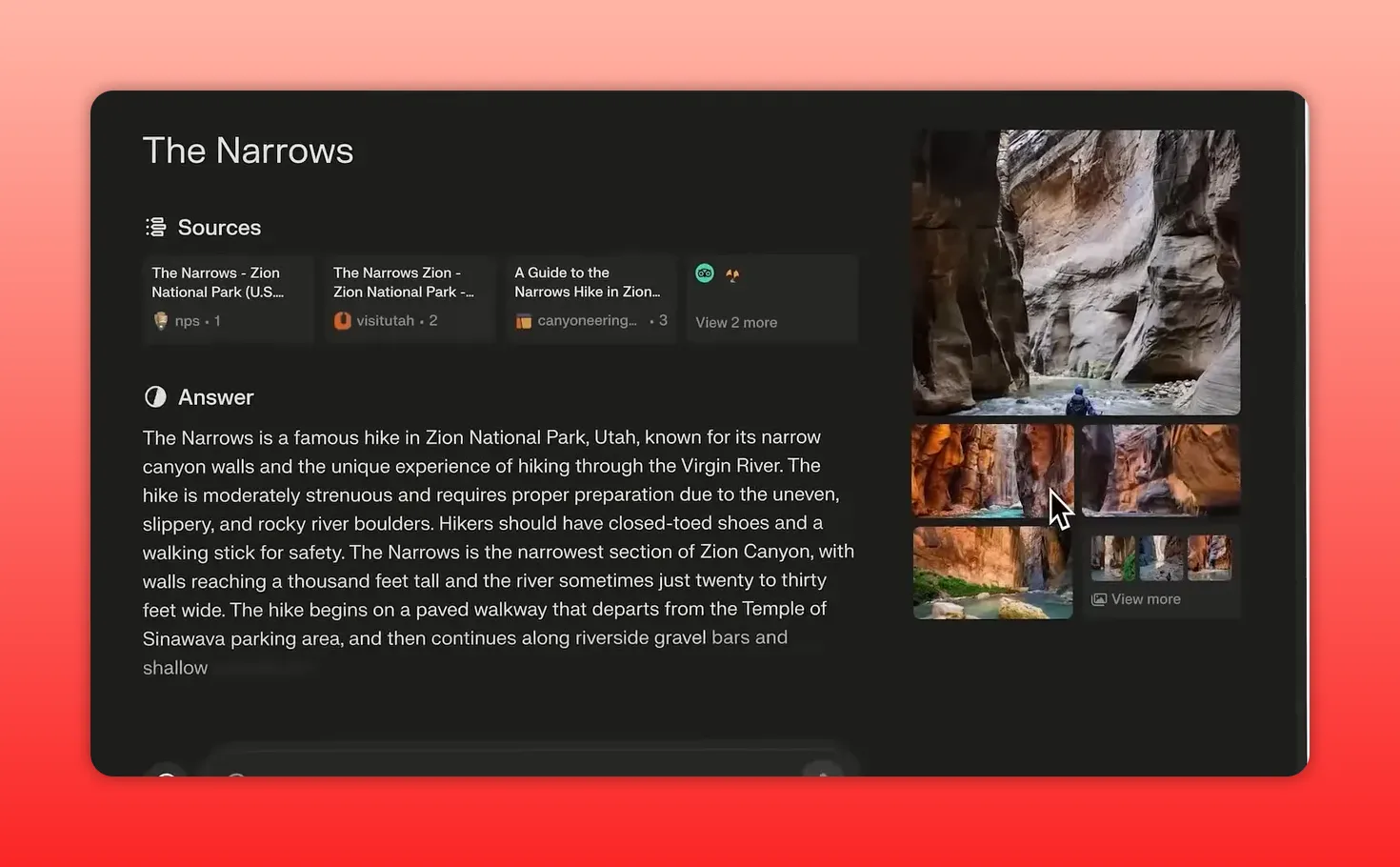
Image generation
Image models produce hyper-realistic scenes, stylized illustrations, brand graphics, and editable text elements from prompts. Most modern image generation uses diffusion models.
- Midjourney remains highly regarded for aesthetics and realism.
- ChatGPT image generator is strong for iterative, interactive edits.
- Ideagram shines at design-oriented outputs like posters, logos, and UI mock ups with text integrated cleanly.
- Tip: Use the right tool for the job: choose the tool that matches your aesthetic and iteration needs rather than searching for a single universal model.

Video generation
Video is the fastest-moving area. Recent breakthroughs allow multi-second scenes with synchronized dialogue, effects, and motion from a single prompt or by animating between frames.
- Text-to-video: Generate scenes from a script or natural language. Great for prototypes, social content, or concept videos.
- Image-to-video: Provide start and end frames, animate between them, and guide motion and style through prompts.
- Motion capture and restyling: Tools let you drive characters with real motion, restyle footage, or upscale creatively.
- Use cases: social clips, ads, music videos, or rapid iteration of creative concepts without a full production crew.

Audio
Audio tools include text-to-speech, music generation, and voice interaction. The quality is now convincingly human.
- 11 Labs leads in text-to-speech and voice cloning for ultra-realistic voiceovers.
- Suno and Udio let you create multi-instrument songs and singing from text prompts or reference tracks.
- Voice input: Conversational voice interactions are fluid, letting you speak and receive natural vocal responses.

Specialized wrappers
Most of the new tools are not new models but polished interfaces built on top of foundational LLMs. They add preloaded prompts, guardrails, and UIs for specific tasks.
- Ask yourself: Is this a new capability or a nicer interface for a foundation model?
- If it is the latter, you can often replicate the same result inside a general LLM with well-structured prompts and a few examples.
- Tradeoffs: Wrappers buy convenience. Building your own system is cheaper and more customizable but takes time.
- Some platforms combine multiple wrapped tools into automated end-to-end workflows that can be true time savers for businesses.

The four skills that matter more than tools
Tools change. Core skills do not. Invest time in these four abilities and you will get more value from any tool you use.
1. Prompting
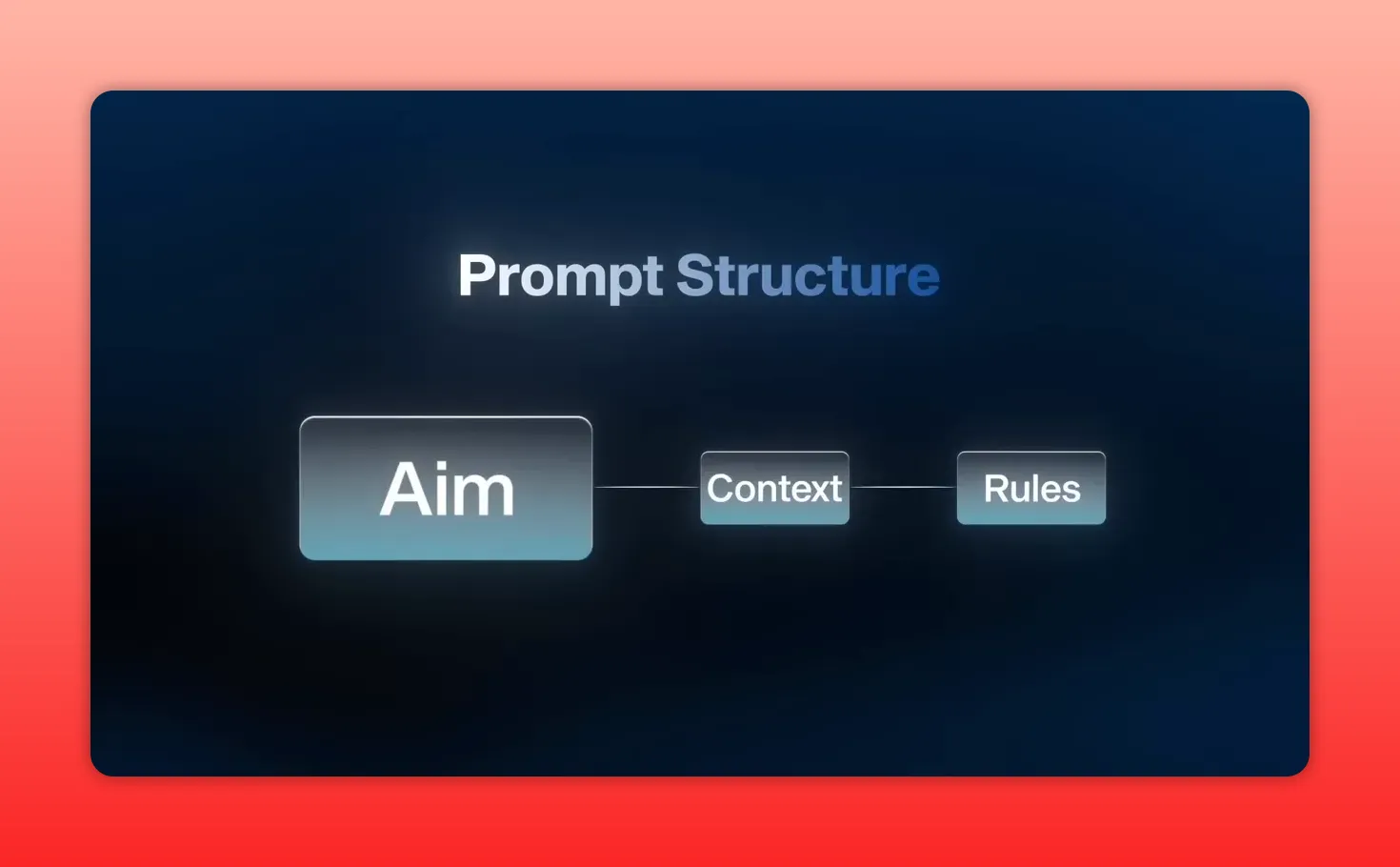
Learning to communicate with models clearly produces radically better outputs. A simple structure—Aim, Context, Rules—covers most needs.
- Aim: What do you want the model to do? Example: write a product description or brainstorm five ideas.
- Context: Provide background: who is the audience, what is the style, supply examples if you want a specific voice.
- Rules: Formatting, length limits, tone, or any constraints the model must follow.
Example contrast:
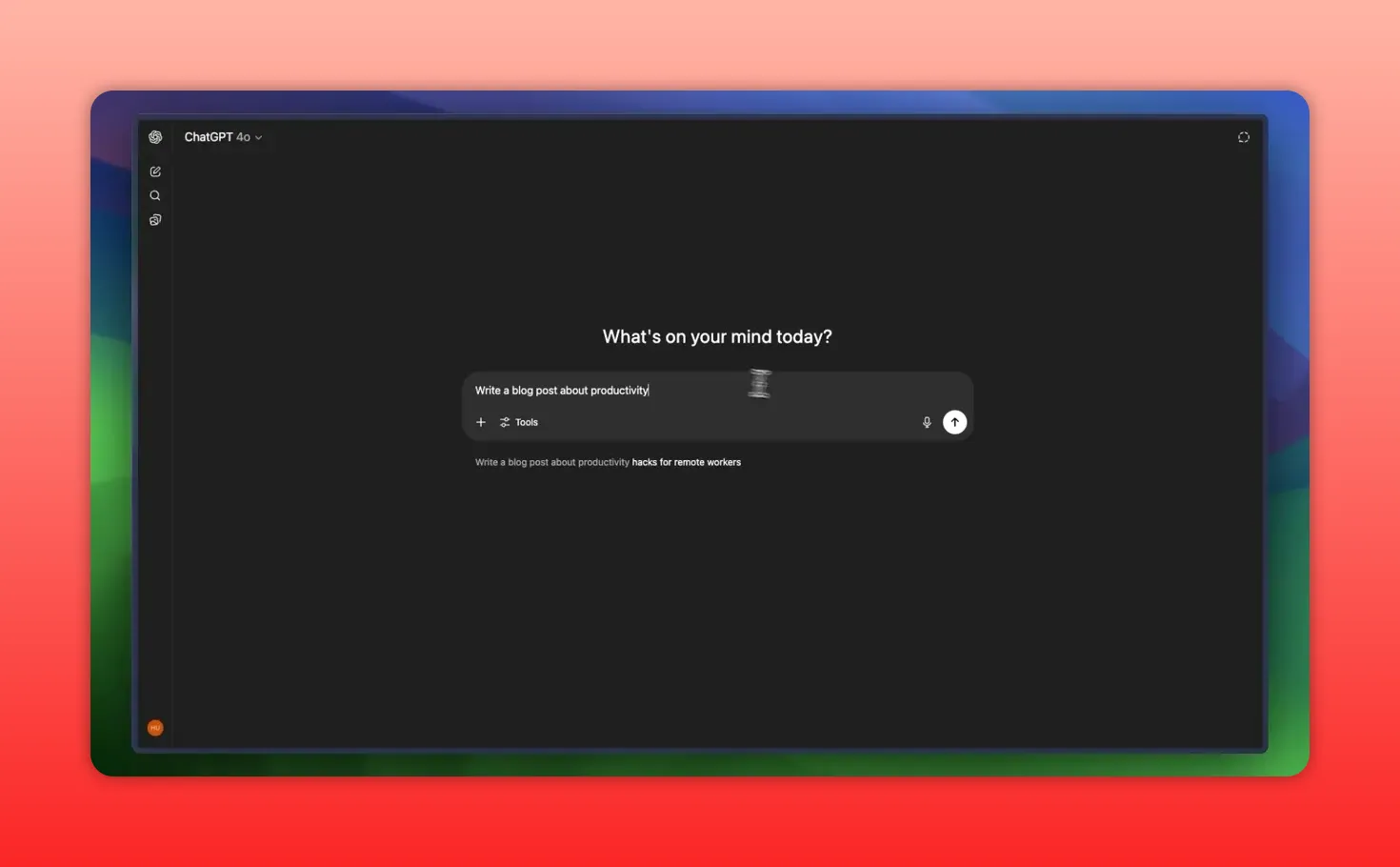
Vague prompt: Write a blog post about productivity.
Structured prompt: I am a business productivity coach. Write a 500-word blog post for busy entrepreneurs about how to plan a productive Monday. Make it casual and include three actionable tips. End with a motivational quote.
The second prompt wastes no time guessing. The model knows the audience, tone, length, structure, and the call to action all at once. Over time, this pattern becomes natural and you will rarely send a one-line vague prompt again.
2. Tool literacy
You do not need to learn every product. Understand categories and which class of tool solves which problem. When you face a challenge, you should be able to identify whether it is best solved with an LLM, a research assistant, image generation, video, or an audio tool.
Spend your time learning the leading tools in each category and one reliable wrapper when convenience matters. That combination gives you a lot of coverage without overwhelm.
3. Workflow thinking
Break big tasks into smaller steps that AI can reliably do. Models struggle with long, complex, unstructured requests. They do well when you chain tasks: summarize, refine, format, and then export.
Example: creating a product launch asset
- Research the category with a research tool and compile competitor headlines.
- Ask an LLM to generate three campaign concepts.
- Use image generation to create hero visuals for each concept.
- Produce voiceover or music with audio tools for the chosen concept.
- Assemble and edit in a video tool and automate social posting with an automation tool.
4. Creative remixing
Combine tools in unexpected ways. Sometimes the most interesting results come from following an unexpected output and iterating on it rather than forcing the original plan. Let the strengths of each tool guide the creative direction instead of imposing rigid expectations.
Automations vs. Agents
Once you know tools and skills, the next step is to automate repetitive work. There are two different modes of automation to understand.
- Automations: Fixed workflows that follow a predetermined sequence: A to B to C. Great for predictable tasks like copying form data into a CRM.
- Agents: Dynamic systems that can reason and decide which steps to take based on context. They require a brain, memory, and tools.

Agents need three parts:
- Brain — an LLM or reasoning model
- Memory — state or stored context to refer to previous interactions
- Tools — actions the agent can trigger: send messages, update docs, call APIs, or run workflows
Start small by building an agent that helps you personally. For example:
- Begin with an agent that reads your calendar and summarizes the day.
- Add a tool to reschedule meetings or create time blocks.
- Grant read-only access to documents so it can summarize SOPs or pull context when drafting replies.
- Gradually enable higher risk actions, like sending responses or creating tasks, after testing and verification.

Popular no-code platforms (Zapier, Make, N8N) connect apps and can host agents. N8N recently became more viral due to marketplace templates and an AI agent node that simplifies building agents without code. Beware of overpromised templates; start with simple, testable automations and iterate.
Vibe coding: a new way to build
Vibe coding is an iterative, conversational approach to app development. Describe what you want, test the generated output, tell the system what to change, and repeat. It is not yet a complete replacement for engineering teams for complex production software, but it can rapidly produce prototypes, MVPs, and internal tools.
- Tools that support this flow include WindSurf, Lovable, Replit, and Cursor.
- WindSurf is ideal for simple, polished internal apps with no code.
- Lovable targets creators and small teams building AI products quickly.
- Replit enables browser-based prototyping with a mix of no-code and light code.
- Cursor provides a powerful desktop AI coding environment for those comfortable with code and wanting hands-on control.
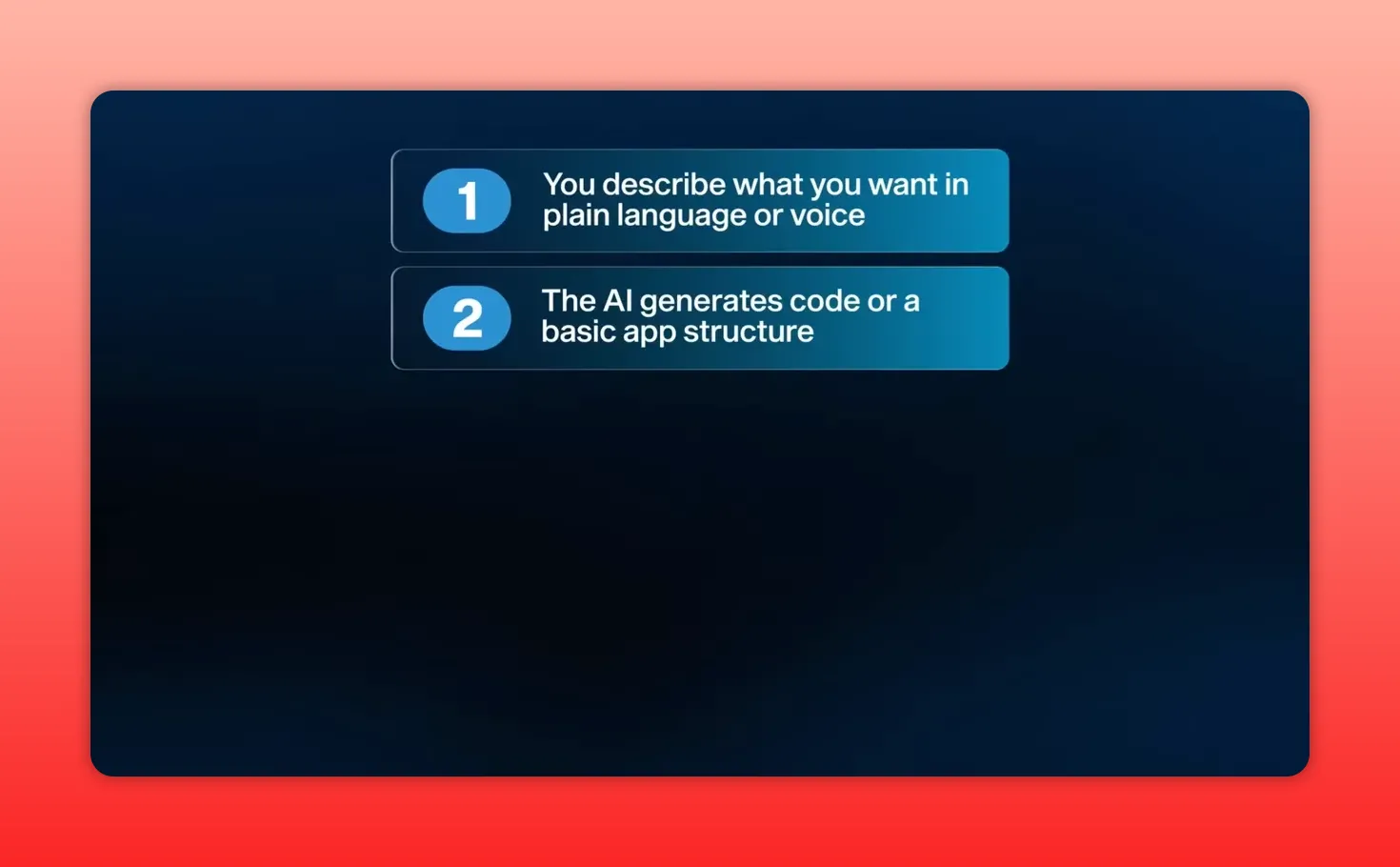
Vibe coding democratizes building. For solo creators or product teams, it speeds up experimentation and reduces the friction of translating an idea into a working prototype.
A practical plan to actually learn and use AI
Learning theory is one thing. Producing outcomes is another. Use this simple, actionable plan to build momentum.
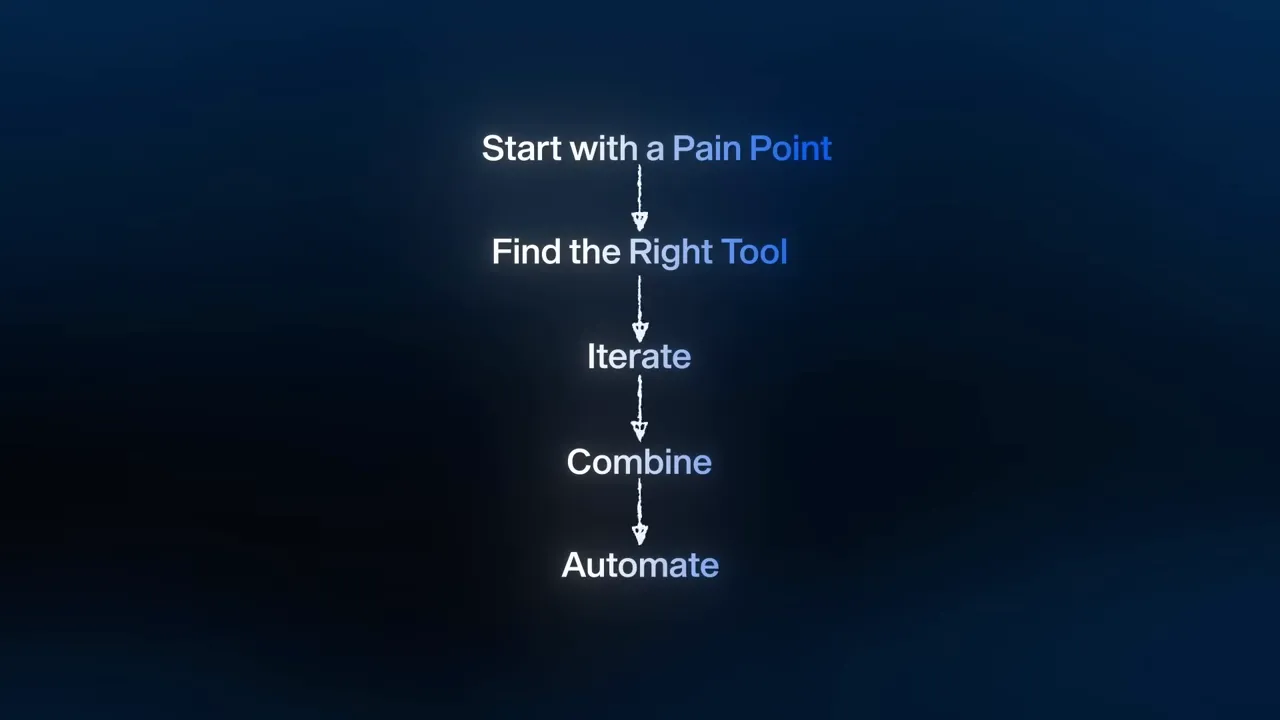
- Identify a pain point — What causes the most stress, procrastination, or wasted hours in your day? Pick one concrete problem to solve.
- Sketch a solution — Write a quick description of what an ideal fix would look like, even if it is rough. Example: "I want weekly meeting notes summarized with action items and assigned owners."
- Map tools to subtasks — Break the solution into steps and assign a tool to each step. Use an LLM for summarization, a research tool for grounding, an automation platform for scheduling.
- Prototype with prompts — Use prompt templates (Aim, Context, Rules) to generate initial outputs. Iterate until the format and quality fit your needs.
- Combine tools — Link two or more tools to create a mini workflow: for example, transcribe audio, summarize with an LLM, and push to your project management tool using an automation platform.
- Automate — Create a rule-based automation or agent to run the workflow automatically. Test in a safe environment and add logging for errors.
- Improve continuously — Monitor results, fix hallucinations or mismatches, and refine prompts or connectors.

Even dedicating 15 minutes twice a week to this process compounds quickly. The goal is progress, not perfection. Solve one thing well and then move to the next.
Examples and prompt templates you can use now
Below are practical prompt templates for common tasks. Start with these, then tweak the context and rules to match your voice and needs.
Summarize a document
Aim: Summarize the attached document into a 300-word executive summary with five action items and three recommended next steps.
Context: Audience are C-level executives who want a quick decision brief. Document contains meeting notes and market research.
Rules: Use bullet points for action items, label sections clearly, and keep the tone concise and action-oriented.
Rewrite an email in your voice
Aim: Rewrite this email so it sounds like me and is concise.
Context: My voice is friendly, professional, and slightly humorous. Original email below.
Rules: Keep it under 150 words, include a clear CTA, and maintain one line spacing between paragraphs.
Brainstorm video hooks
Aim: Generate 10 short social video hooks about AI agents for a business audience.
Context: Audience are product managers and founders. Hook length: 8 to 12 words. Tone: curious and slightly urgent.
Rules: Provide hooks in a numbered list. Highlight one that is best for testing.
Use the Aim-Context-Rules structure as a base and then add examples of style or formatting to tightly control the output. Include role-based prompting when you want a particular perspective: "You are a senior product manager" vs "You are a creative storyteller."
When to pay for a wrapped tool vs. build it yourself
Wrapped tools are convenient and polished, but they come at a cost. Weigh these questions before paying:
- Is this solving a once-in-a-while problem or a repeated, critical workflow?
- Can a general LLM and prompt engineering reproduce the output with minimal effort?
- Do you need integration and end-to-end automation that a single wrapper already provides?
If the wrapper saves dozens of hours each month and integrates into important systems, paying for it often makes sense. If it is only marginally more convenient and you have the time, replicate it internally for flexibility and lower cost.
Common pitfalls and how to avoid them
- Hallucinations: Always verify important facts. Use RAG setups for grounded answers or tools that cite sources.
- Tool fatigue: Limit yourself to a small toolkit—one LLM, one image tool, one research assistant, and one automation platform.
- Over-automation: Start small and keep humans in the loop until the agent proves reliable. Monitor logs and outputs.
- Security and privacy: Be careful with sensitive data. Prefer self-hosted or enterprise options if data governance matters.
Resources and shortcuts to speed learning
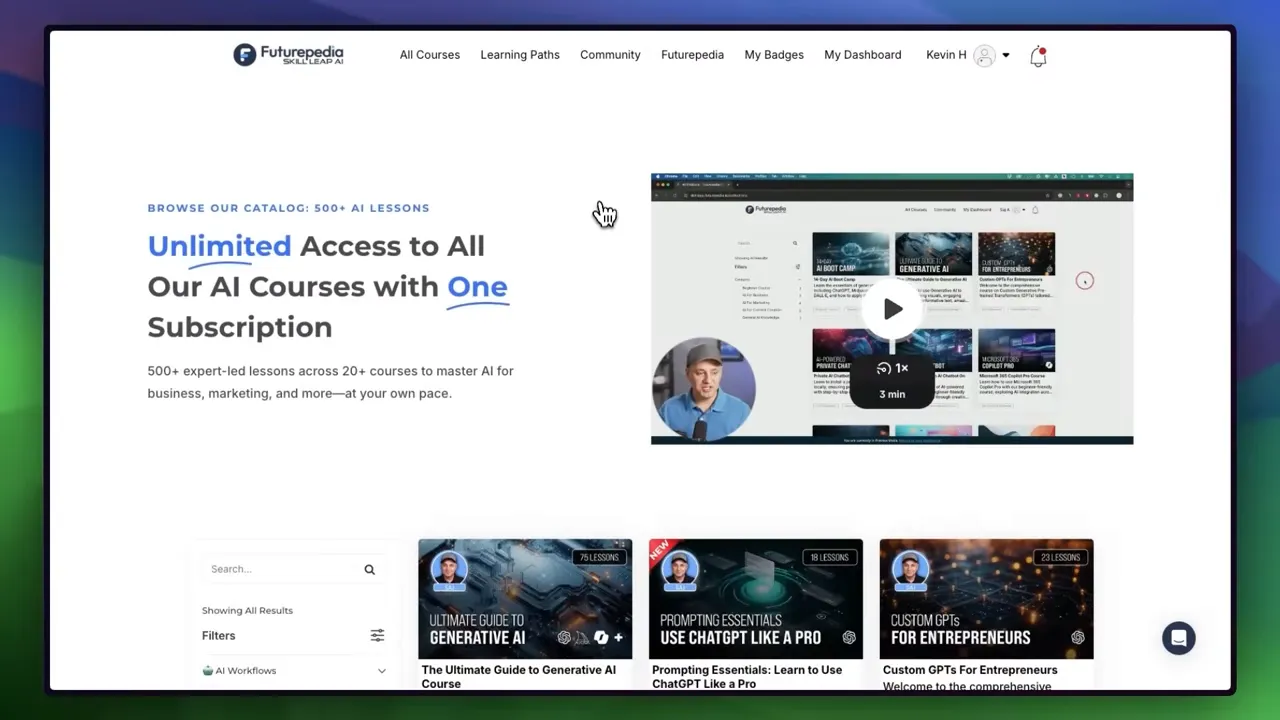
Rather than reading every headline, follow curated newsletters and learning paths that synthesize what matters. Invest in a small number of high-quality resources that teach core skills like prompting, workflow design, automation, and agent building.
Build a practice lab: a small workspace where you store prompts, test automations, and keep a log of what worked and why. Treat it as a living playbook for future projects.
Sample 30-day learning sprint
Follow this bite-sized schedule to accelerate from novice to productive user in a month.
- Days 1–3: Choose a single LLM and read its basic documentation. Practice Aim-Context-Rules with five prompts: summarize, explain, rewrite, brainstorm, and template creation.
- Days 4–7: Learn one research tool and upload or link two documents to test RAG-based queries. Create three verified summaries.
- Days 8–12: Try image generation. Create 10 images, iterate prompts for specific styles, and save prompt templates for consistent aesthetics.
- Days 13–16: Experiment with audio: generate a voiceover, clone a demo voice, and produce a short music bed.
- Days 17–21: Make a short video from script to final render using text-to-video and basic edits. Focus on one polished 30 to 60 second clip.
- Days 22–25: Build one automation linking two tools: for example, transcribe meeting audio, summarize with an LLM, and push action items to a task manager.
- Days 26–30: Prototype a simple agent. Start with the calendar summarizer idea, then add one action like “suggest rescheduling” and test iterations.

By day 30 you will have generated artifacts, automation, and at least one agent prototype. The key is consistent, focused practice on one problem at a time.
How to stay informed without getting overwhelmed
Don’t try to keep up with everything. Subscribe to a few high-quality newsletters or feeds that synthesize major changes. Follow creators who do the testing and summarize important updates. Prioritize learning that translates directly to your goals rather than feature-level news.

Final checklist before building any AI workflow
- Define the outcome: Is the goal time saved, higher quality, or scaled reach?
- Choose the smallest set of tools that can solve the problem.
- Design the workflow in discrete steps and test each step independently.
- Create prompt templates and keep them versioned.
- Start with human-in-the-loop verification, then automate incrementally.
- Continuously monitor outputs for accuracy and drift.
What is the best first tool to learn?
A large language model is the most practical first tool. Choose one you will use consistently—ChatGPT, Claude, or Gemini—and practice structured prompting to solve real tasks like summarizing, drafting, or brainstorming.
How much time should I dedicate per week?
Even 15 minutes twice a week can lead to meaningful improvements. Aim for small, consistent experiments: test a prompt, save the result, and iterate. A focused 30-day sprint with daily short sessions accelerates skill acquisition.
Do I need to code to build useful automations?
No. Many no-code platforms let you build automations and agents without writing code. Tools like N8N, Make, and Zapier provide connectors and low-code nodes to orchestrate workflows. Coding helps for deeper customizations but is not required to start.
How do I avoid AI hallucinations?
Use retrieval-augmented generation to ground answers in real sources. Always verify critical facts, especially when outputs affect decisions. Add guardrails in prompts and include source citations when possible.
When should I pay for a specialized tool?
Pay for wrapped tools when they save substantial time, integrate into important systems, or provide features you cannot replicate easily. If a tool costs less than the time it would take to build and maintain an equivalent internal workflow, it is often worth the expense.
What is the quickest way to build confidence with AI?
Solve one real, repetitive problem. Build a simple automation or prompt that saves you time every week. Repetition turns an experiment into muscle memory and reveals the next automations to build.
Closing thoughts
Getting comfortable with AI is not about becoming an expert in every model or tool. It is about building four durable skills: prompting, tool literacy, workflow thinking, and creative remixing. Choose one simple problem, map the right tools, iterate, and automate incrementally.
Progress compounds. A few hours of focused work produce templates, automations, and a practical playbook you can reuse. Most importantly, you will transition from feeling overwhelmed to being productive and confident—often much faster than you expect.


0 Comments